
Set up your robot and docking station in four easy steps
These four short videos help guide you through the set up and connection process.
-
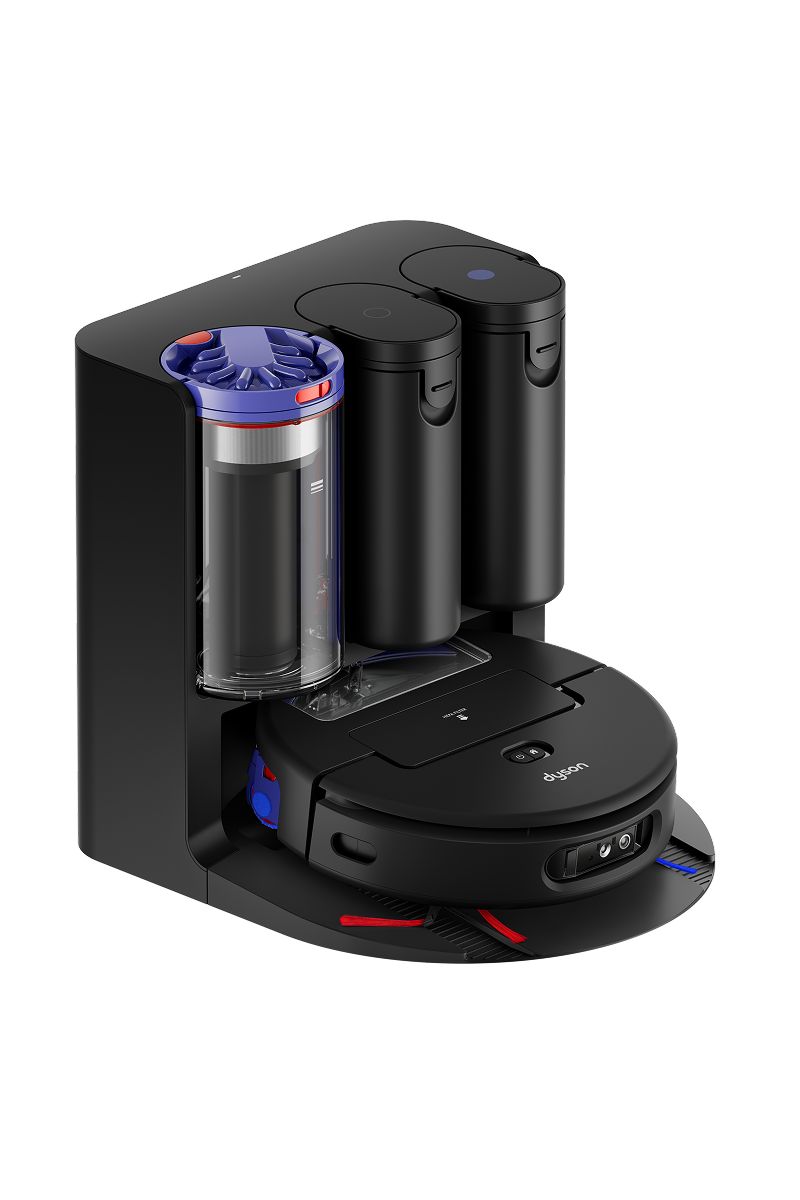
Setting up your docking station
Watch how to attach the ramp, add cleaning solution and fill with clean water, with advice on where to locate your docking station.
-
Setting up your robot
See how to attach your robot’s side sweepers and download the MyDyson™ app, if you haven’t already.
-
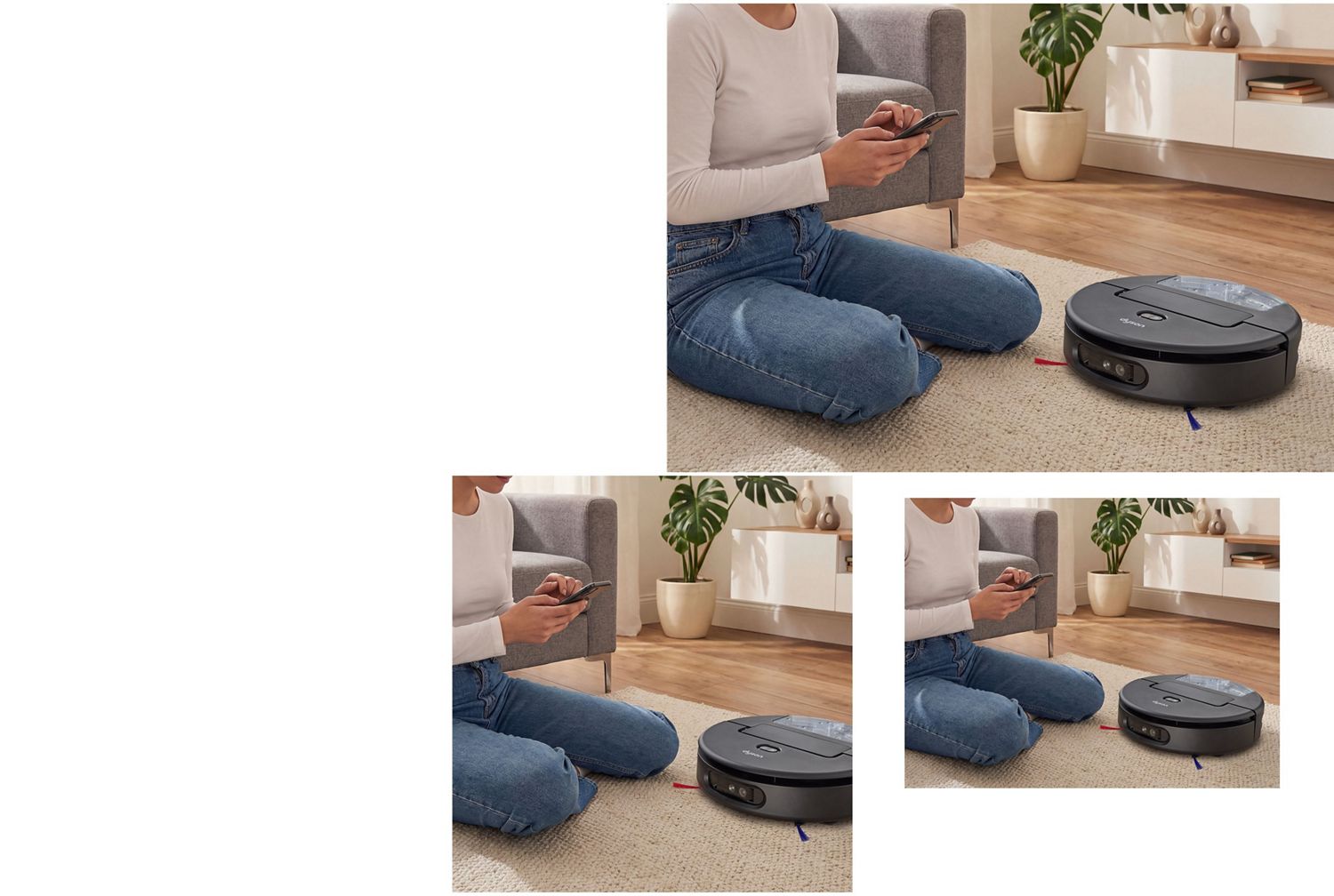
Connecting to the MyDyson™ app
Watch how to charge your robot and connect to the MyDyson™ app, so you’re ready for your first clean.
-
Finishing a clean
See how to empty your docking station’s dry debris bin and dirty water tank, ready for the next clean.

MyDyson™ app features
Creating a map of your home with the MyDyson™ app lets your robot learn the layout, and gives you more control over how and where your robot cleans.
-
Create and manage your map
Once you’ve created a map, you can split, merge and name each room to reflect your home’s layout.
-
Customise your cleans
Clean individual rooms. Choose vacuum or wash, or both. Change hydration levels. Use Auto, Quick, Quiet or Boost modes. Or schedule a clean at night.
-
Live cleaning
Track your robot’s location and check its progress in real time in the app. You can even view it in 3D.
-
Troubleshooting
The MyDyson™ app will alert you if your robot encounters an issue, giving you step-by-step fixes with visual and voice guidance.
-
Activity history
After every clean your robot will share its activity history in the app, so you can see where it’s cleaned.
-
Maintenance and spares
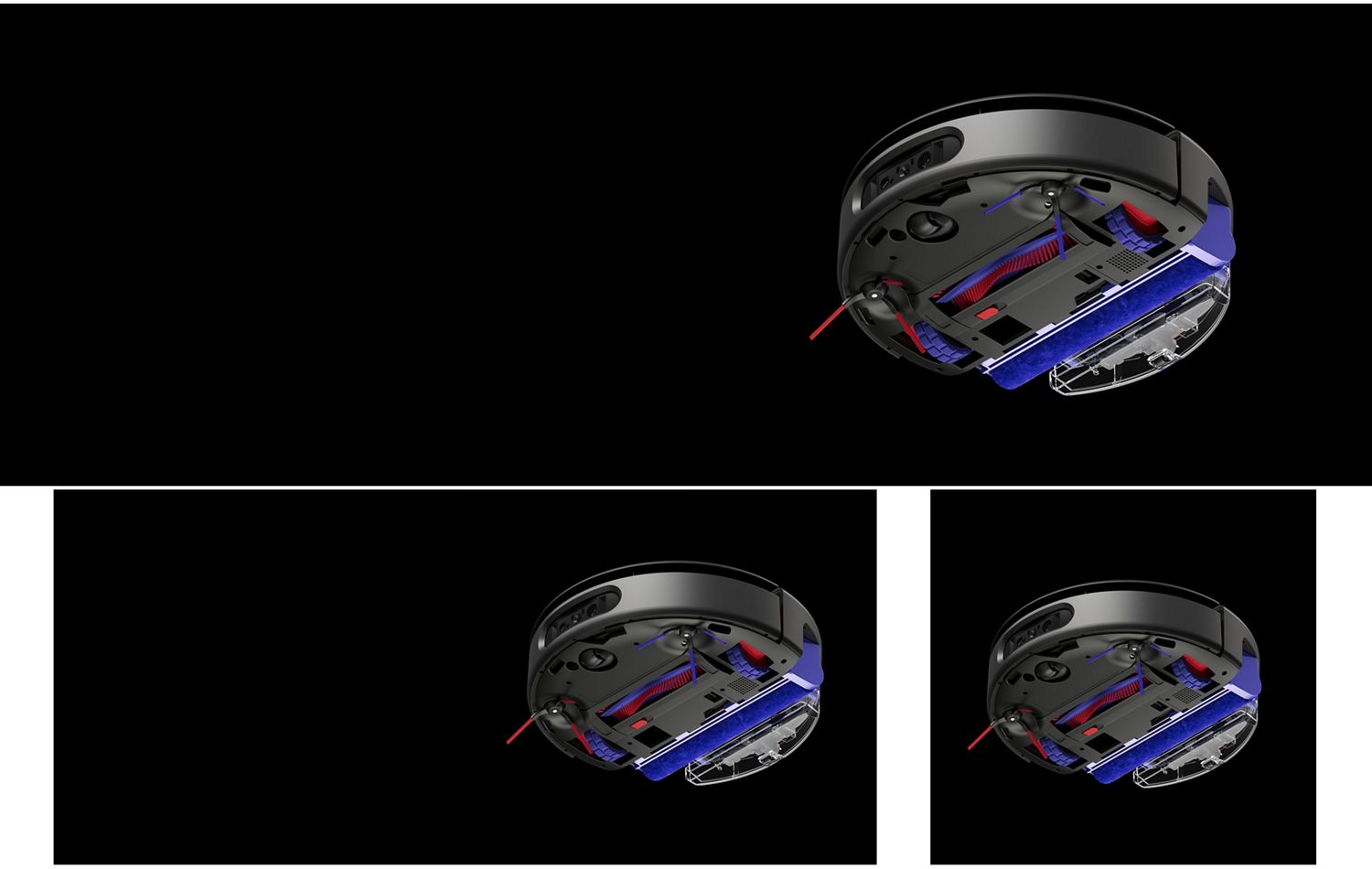
Use the app to monitor the condition of your brush bar, wet roller, side sweepers and filters. The app will alert you if replacements or maintenance is needed.
Maintenance
When cleaning your robot, please don’t use a dishwasher, detergents, polishes or air fresheners as this may damage your machine.
How to clean the dock’s ramp
- Remove your robot to a safe place.
- Pull the ramp upwards and unclip it from your docking station.
- Wash under running water, then wipe clean.
- Leave to dry for 24 hours. Click back into place.
How to clean the filters
Wash monthly for best performance.
- Remove and tap over a bin to dislodge debris.
- Wash with warm water until the water runs clear.
- Shake firmly to remove excess water.
- Leave to dry for at least 24 hours. The filters must be completely dry before refitting.
How to clean the dock’s dirty water tank
- Remove the dirty water tank, empty the contents.
- Wash with warm water and detergent, then rinse.
- Wipe clean and leave to dry.
- Slide back into your dock until it clicks into place.
How to clean the robot’s dirty water tank
- Remove the dirty water tank, empty the contents.
- Wash with warm water and detergent, then rinse.
- Wipe clean and leave to dry for at least 24 hours.
- Slide back into your robot until it clicks into place.
How to clean the dock’s dry bin
- Lift out the dry bin and hold over a waste bin.
- Slide the red button on the handle to empty.
- Use a damp, lint-free cloth to clean the bin.
- Make sure the bin – and the seals around the lid – are completely dry before refitting.
How to clean the brush bar
- Remove the brush bar and any threads or hair.
- Wash under running water.
- Wipe or squeeze to remove excess water.
- Leave to dry for at least 24 hours. The brush bar must be completely dry before refitting.
How to clean the wet roller
- Remove the wet roller and any threads or hair.
- Hold under running water and rub with detergent.
- Rinse, then squeeze out any remaining water.
- Leave to dry for at least 24 hours. The wet roller must be completely dry before refitting.
How to clean the side sweepers
- Unclip the side sweepers.
- Wash under running water.
- Wipe clean and leave to dry for at least 24 hours before refitting.
Robot troubleshooting
Use our videos below and in the MyDyson™ app to help guide you through issues your robot may encounter.
Dry bin not fitted
How to clear obstructions to the brush bar
How to clear obstructions to the wheels
How to clear obstructions to the wet roller
How to clear side sweeper obstructions
Dirty water tank not fitted
How to replace the filter
How to clean the drop sensors
How to clean the floor type sensor
How to clean the HD camera
How to clean the collision sensors
How to clean the infrared sensor
How to clean the LiDAR sensors
Docking station troubleshooting
These troubleshooting video guides below, and in the MyDyson™ app, help you maintain your docking station.
How to empty your dock’s dry bin
Dry bin not fitted
How to refill your dock’s clean water tank
Dirty water tank not fitted
Clean water tank not fitted
How to refill your dock’s cleaning solution
How to replace your dock’s filter
How to empty the dirty water tank
Frequently asked questions
The Dyson Spot+Scrub™ Ai robot has two filters – one in the robot and one in the docking station – for hygienic filtration that captures microscopic dust as small as 0.1 microns. We recommend cleaning the filters at least once a month to maintain optimum performance. Simply tap gently over a bin to remove any loose dust or debris, then rinse with warm water until the water runs clear. Always ensure the filters are completely dry before refitting as damp filters can damage your machine.
The following parts on the docking station can be washed:
- Filter
- Dry bin
- Dirty water tank
- Clean water tank
- Water filter
- Ramp
The following robot parts are washable:
- Wet roller
- Filter
- Dirty water tank
- Wet roller assembly
- Side sweepers
- Dry bin
- Brush bar
The various LED lights on the docking station indicate different statuses:
- A flashing white light means the device is charging
- A solid white light shows it’s fully charged
- A flashing red light signals an error
We recommend changing your water filter every 12 months. The water filter is located behind the dirty water tank in your docking station. To replace it, rotate the filter anticlockwise and pull it out. Insert the new water filter and rotate it clockwise to lock it in. You can buy replacement water filters from the Parts section of the Dyson website.
Spare or replacement microfibre wet rollers can be purchased directly from the ‘Parts and accessories’ pages on the Dyson website. The following spare parts are available for the Dyson Spot+Scrub™ Ai robot:
- Microfibre wet rollers
- Set of brush bars
- Set of filters
- Dyson hard floor cleaning solution
Only use genuine Dyson parts or you may damage your machine and invalidate your warranty.
Dyson 02 Probiotic hard floor cleaning solution can be purchased from the ‘Accessories’ pages on the Dyson website.
We recommend washing the dirty water tank in the docking station once a month to maintain hygiene.
Replacement parts
Keep your robot working at its hygienic best with genuine Dyson spare parts and accessories.