Free next-day delivery
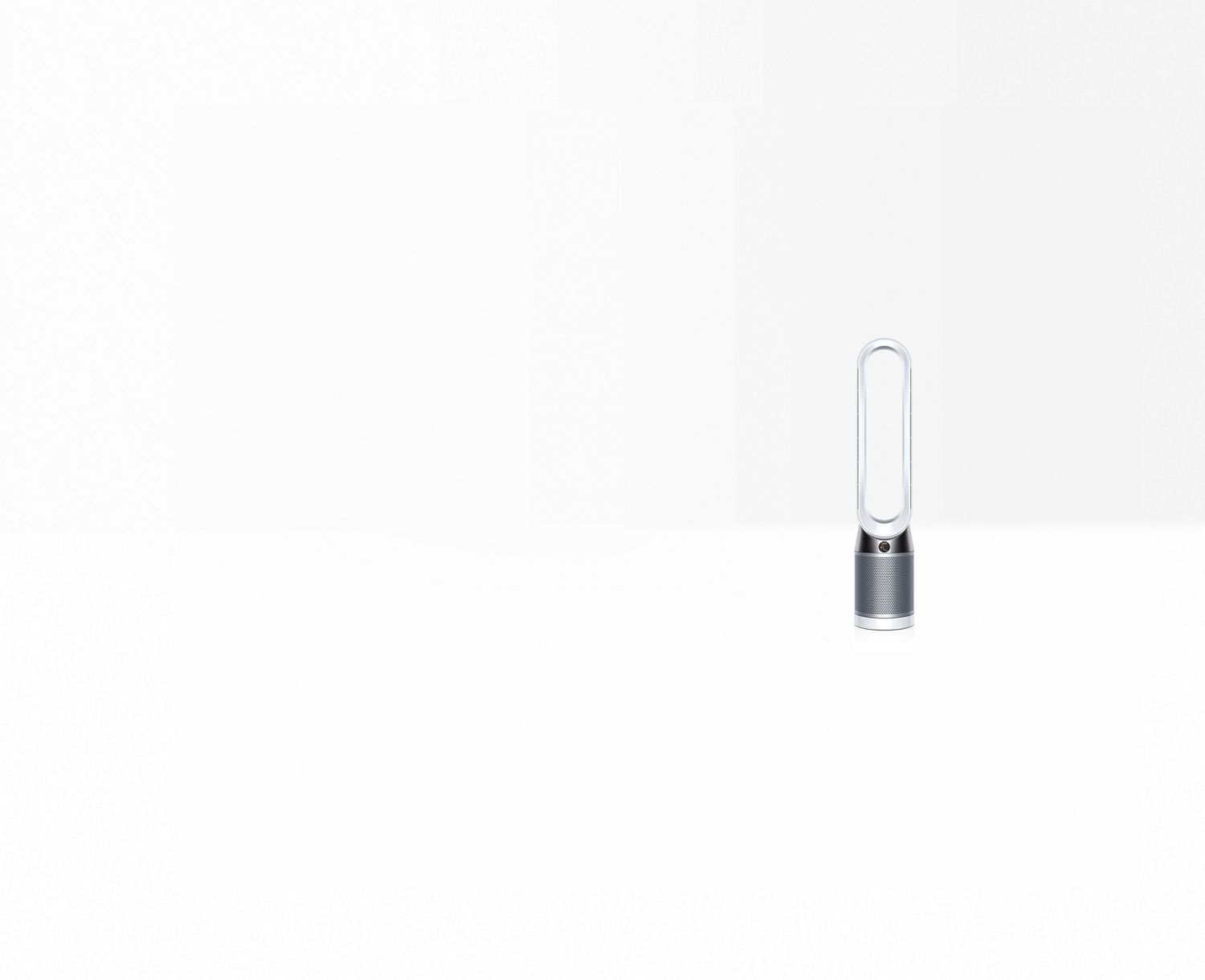

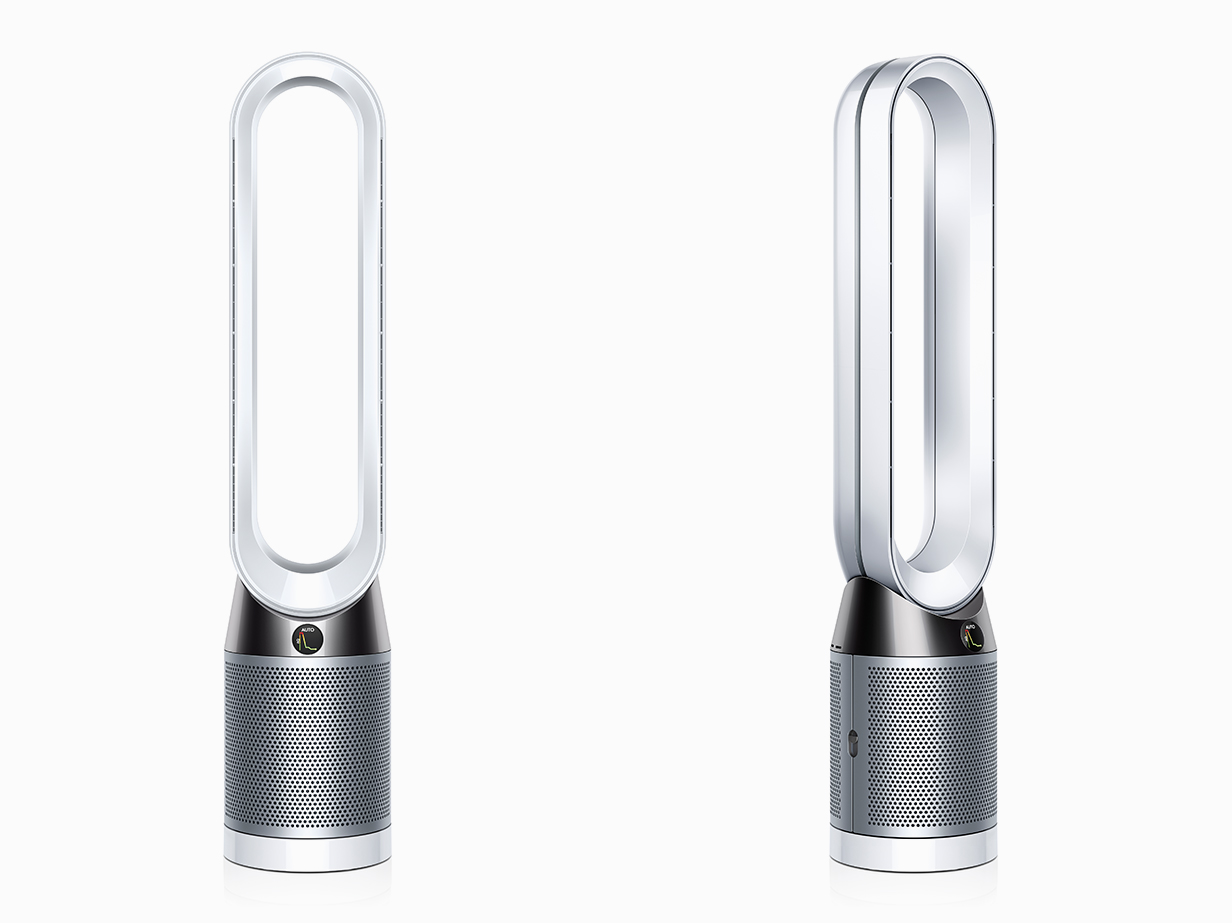
The Dyson Pure Cool™ purifying tower fan.
The only purifying fan to clean a whole family room properly. Floor-standing purification.
35-day money-back guarantee.
¹The AHAM AC1-2015 standard defines purifier performance in a specified test chamber, based only on cleaning efficiency rates.
²Tested for filtration efficiency (EN1822) at 0.1 microns and whole room coverage (TM-003711 & DTM801) in a 27m² room.
³Tested to EN1822. Particles as small as 0.1 microns.
⁴In maximum setting. Tested to Dyson internal test method TM-003711 in a 27m2 room and DTM801.
⁵Requires device to run app, 2.4GHz or 5GHz Wi-Fi connection or mobile data, and Bluetooth 4.0 support. For app compatibility, please search for “Dyson Link” on the iOS App Store or the Google Play Store. Standard data and messaging rates may apply.
- 7 Refer to the MyDyson™ app for compatible voice services. Apple, the Apple logo and Siri are trademarks of Apple Inc., registered in the U.S. and other countries. App Store is a service mark of the Apple Inc., registered in the U.S. and other countries. Google Play, the Google Play logo, Google Assistant are trademarks of Google Inc. Amazon Alexa and all related logos are trademarks of amazon.com, Inc. or its affiliates.
Specifications
-
Weight
4.65 kg
-
Sound level (Max)
56 dBA
-
Sound level (Quiet Mode)
38 dBA
-
Airflow at max. setting
290 l/s
-
Amp diameter
204 mm
-
Base diameter with plate
220 mm
-
Cord length
1.8 m
-
Number of speed settings
10
-
HEPA filter
Glass fiber HEPA filter
-
Sound level
61.5 Decibel
-
Height
105 cm
-
Length
22 cm
-
Width
20.4 cm
Choose your model
Upright vacuums

Dyson Ball™ Animal Origin upright vacuum cleaner
What's included
See all-
Combination tool
Two tools in one - brush and wide nozzle. For simple switching between tasks
-
Stair tool
Velour strips pick up hair and dirt from stairs
-
Tool holster


Supersonic Nural™ hair dryer - Straight and Wavy (Plum/Copper)
Auto-adapts to enhance natural shine and protect scalp health.¹
Fast, intelligent drying. No heat damage.
Intelligent attachments for all hair types.
5 attachements
See all-
Diffuser
Diffused air reaches deep into hair to create defined curls and waves.
-
Smoothing Nozzle
Helps remove unwanted frizz and create a smooth, natural finish.
-
Flyaway Smoother
Style and finish with Coanda airflow. Two modes in one.
-
Complimentary presentation case
Finished in black with an ash ginger stripe, cushioned with soft fabric and with a removable lid that is also a non-slip mat for your Supersonic Nural™.


New Dyson Airwrap Co-anda2x™ multi-styler and dryer with new attachments Straight+Wavy (Plum/Copper)
Better curling. Faster drying. Straighter styles¹. No heat damage.
With 2x the air pressure for even more power.
6-in-1. Dry, Curl, Wave, Straighten, Smooth, Volumise.
7 attachments and accessories included
See all-
Air Straightener 2x
Two high-velocity air jets and passive plates straighten the hair as it dries, to smooth and align.
-
Conical Co-anda2x™ curling barrel
Unique tapered design to achieve a seamless curl pattern from root to tip.
-
Fast dryer 2x
Controls higher velocity airflow for faster drying¹. ¹vs. Dyson Airwrap i.d.™ multi-styler and dryer.
-
Presentation case
Larger-size case that protects and neatly stores your Dyson Airwrap™ multi-styler and all its attachments.
-
Anti-Snag Loop Brush 2x
"Gives a smoother more aligned finish¹. ¹vs. Dyson Airwrap i.d.™ Soft smoothing brush.
-
40mm Co-anda2x™ curling barrel
Create loose curls and waves both directions with one barrel.
-
Large Round Volumizing Brush 2x
Creates voluminous styles with reduced frizz¹. ¹vs. Dyson Airwrap i.d.™ Round volumising brush.


Dyson Airstrait™ dryer and straightener (Plum/Copper)
Straighten as you dry. 2x the shine1.
Faster styling using only air, no heat damage3.
Salon-straight blow dry results.
No attachments
See allPresentation case
Protects and neatly stores your Dyson Airstrait™ dryer and straightener.

Dyson Ball™ Animal vacuums
Dyson Ball™ Animal
Cleans carpets better than any other de-tangling upright vacuum.
Powerful upright vacuum for all floors. De-tangles. Telescopic handle.
14 meters of unlimited corded cleaning. 99.97% filtration down to 0.3 microns.
3 attachements
See all-
Motorbar™ cleaner head & housing
-
Combination tool
Two tools in one - brush and wide nozzle. For simple switching between tasks

Dyson Ball™ Animal vacuums
Dyson Ball™ Animal Multifloor
Cleans carpets better than any other de-tangling upright vacuum.
Powerful upright vacuum for all floors. De-tangles. Telescopic handle.
14 meters of unlimited corded cleaning. 99.97% filtration down to 0.3 microns.
5 attachements
See all-
Tool holder
-
Combination tool
Two tools in one - brush and wide nozzle. For simple switching between tasks
-
Stair tool
Velour strips pick up hair and dirt from stairs
-
Quick-release tangle-free turbine tool
The only turbine tool that doesn't tangle. Remove hair from carpets.
-
De-tangling Motorbar™ cleaner head
Replacement Motorbar™ cleaner head for your Dyson vacuum cleaner.


Dyson Corrale CoolShine™ straightener (Ceramic pink / Rose gold)
2 attachments
See all-
Dyson Corrale CoolShine™ heat resistant mat
Heat-resistant mat for protecting surfaces during and after styling.
-
Dyson Corrale CoolShine™ heat extracting attachment
Copper cooling pipes to cool hair, for a soft and shiny finish.


Dyson Big Ball™
What's included
See all-
Motorbar™ cleaner head
Motorised, edge-to-edge deep cleaning with de-tangling technology.
-
Crevice tool
Engineered for precise cleaning around tricky edges, narrows spaces and into hard-to-reach corners.
-
Wand storage clip
Conveniently stores tools on the wand of your vacuum. So they're always there when you need them.


Dyson Corrale CoolShine™ straightener (Jasper plum)
2 attachments
See all-
Dyson Corrale CoolShine™ heat resistant mat
Heat-resistant mat for protecting surfaces during and after styling.
-
Dyson Corrale CoolShine™ heat extracting attachment
Copper cooling pipes to cool hair, for a soft and shiny finish.
W1 PencilWash™ wet and dry cleaner
What's included
See all-
Charging cable
Charging cable for your Dyson machine.
-
Wand charging dock
Wand charging dock for your Dyson machine
-
Submarine Cleaner head
Cleaner head for your Dyson machine.
-
Clip-on drip tray
Clip-on drip tray for the Dyson PencilWash™ wet floor cleaner.


Dyson R2 Nurovi™ Wash+Dry robot vacuum (Light grey / Vinca blue)
What's included
See all-
Docking station
Docking station for your Dyson R2 Nurovi™ Wash+Dry™ robot vacuum. Self-empties, self-cleans, refills and recharges. All automatically.
-
Dyson Nurovi™ Filters
Replacement or spare dock and robot filter for your Dyson Nurovi™ robot vacuum.
-
Dyson Nurovi™ Side Sweeper
Replacement or spare side sweeper for your Dyson Nurovi™ robot vacuum.
-
Dyson Nurovi™ Brush Bar and Soleplate
Replacement brush bar and soleplate for your Dyson Nurovi™ robot vacuum.
-
Dyson R2 NuroviTM Wash+Dry Reuleaux Triangle Pads
Replacement or spare Reuleaux triangle wet cleaning pads for your Dyson R2 NuroviTM Wash+Dry robot vacuum.


Dyson R1 Nurovi™ Dry robot vacuum (Light Grey / Vinca Blue)
What's included
See all-
Dyson R1 Nurovi™ Dry Charging Cable
Replacement or spare Charging cable for your Dyson R1 Nurovi™ Dry robot vacuum. Connects your Docking station to a power supply.
-
Docking Station
Replacement or additional Docking station for your Dyson R1 Nurovi™ Dry robot vacuum. Self-empties, self-cleans, refills and recharges. All automatically.


Dyson Airsmooth™ Styling Brush (Ceramic Pink/Rose Gold)
What's included
See allDyson Airsmooth™ bristle protector
Protects your brush whilst travelling.

Dyson Supersonic™ Travel hair dryer (Prussian blue/Rich copper)
32% smaller. 25% lighter.¹ Still mighty.
Travel ready with voltage that adapts automatically – for uncompromised performance², no matter the destination.
Compatible with existing Supersonic™ attachments.³
1 attachment
See allStyling Concentrator
Helps remove unwanted frizz and create a smooth, natural finish.

Dyson Airstrait™ straightener (Ceramic Pink/Rose Gold)
Straighten as you dry. 2x the shine¹.
Faster styling using only air, no heat damage³.
Salon-straight blow dry results.
Dyson Airwrap™ Origin multi-styler and dryer (Prussian Blue/Rich Copper)
Curl with air. Style without heat damage.
3-in-1 : Dry. Curl. Shape.
One barrel curls in both directions for faster styling¹.
3 attachments
See all-
Fast dryer
For fast drying. Takes hair from wet to damp or dry.
-
40mm Airwrap™ long barrel
Create loose, bouncy curls and waves in both directions – with one barrel.
-
Anti Snag Loop Brush
For a smooth, blow dry finish. With Dyson-engineered bristles for improved scalp comfort and less snagging.


New Dyson Airwrap Co-anda2x™ multi-styler and dryer with new attachments Straight+Wavy (Jasper plum)
2x the air pressure for all day curls.
Aerothermal plates to straighten in one pass. Anti-snag bristles for less breakage.
Faster drying. No heat damage. Powered by the Gen 2 motor.
6 attachments
See all-
Presentation case
Larger-size case that protects and neatly stores your Dyson Airwrap Co-anda2x™ multi-styler and dryer and all its attachments.
-
Air Straightener 2x
Two high-velocity air jets and passive plates straighten the hair as it dries, to smooth and align.
-
Conical Co-anda2x™ curling barrel
Unique tapered desing to achieve a seamless curl pattern from root to tip.
-
Large round volumising brush 2x
Creates voluminous styles with reduced frizz and less tangles¹. ¹vs. Dyson Airwrap i.d.™ Round volumising brush.
-
40mm Co-anda2x™ curling barrel
Larger barrel for creating bouncy curls and waves, ideal for longer hair.
-
Fast dryer 2x
Controls higher velocity airflow for faster drying¹. ¹vs. Dyson Airwrap i.d.™ multi-styler and dryer.
-
Anti-snag loop brush 2x
Gives a smoother more aligned finish¹. ¹vs. Dyson Airwrap i.d.™ Soft smoothing brush.


Dyson Supersonic™
Dyson Supersonic™ Origin hair dryer (Prussian Blue/Rich Copper)
Fast drying. No heat damage.
Intelligent heat control helps protect your hair's natural shine
Powered by the Dyson digital motor
1 attachment
See allStyling Concentrator
Helps remove unwanted frizz and create a smooth, natural finish.
New Dyson Airwrap Co-anda2x™ multi-styler and dryer with new attachments Curly+Coily (Ceramic pink/Rose gold)
2x the air pressure for all day curls.
Aerothermal plates to straighten in one pass. Anti-snag bristles for less breakage.
Faster drying. No heat damage. Powered by the Gen 2 motor.
6 attachments
See all-
Presentation case
Larger-size case that protects and neatly stores your Dyson Airwrap Co-anda2x™ multi-styler and dryer and all its attachments.
-
Conical Co-anda2x™ curling barrel
Unique tapered desing to achieve a seamless curl pattern from root to tip.
-
Large round volumising brush 2x
Creates voluminous styles with reduced frizz and less tangles¹. ¹vs. Dyson Airwrap i.d.™ Round volumising brush.
-
Fast dryer 2x
Controls higher velocity airflow for faster drying¹. ¹vs. Dyson Airwrap i.d.™ multi-styler and dryer.
-
Anti-snag loop brush 2x
Gives a smoother more aligned finish¹. ¹vs. Dyson Airwrap i.d.™ Soft smoothing brush.
-
Wave+Curl diffuser 2x
One attachment, two modes. With less frizz¹. For waves, curls and coils. Dome mode enhances and defines natural shapes. Diffuse mode adds volume and texture. ¹vs. air drying.
-
Tension comb 2x
High-velocity, targeted airflow dries hair fast, while stretching and smoothing curly and coily hair.


Dyson V15™ vacuums
Dyson V15 Detect™ Absolute vacuum
5 attachments included
See all-
Wall Dok™
Wall-mounted Dock to recharge your vacuum and tidily store tools.
-
Torque drive motorhead
Replacement torque drive motor head for your Dyson vacuum cleaner.
-
Fluffy Optic™ cleaner head
A precisely angled blade of light reveals twice the amount of invisible dust on hard floors.
-
Crevice tool
Engineered for precise cleaning around tricky edges and into hard-to-reach narrow spaces.
-
Quick Release Mini Motorhead Ir
-
Charger
Charges your vacuum with or without the Wall Dock.


Dyson V12 Detect™ Slim Absolute cordless vacuum
Lightweight and powerful
5 attachments included
See all-
Docking station
Wall-mounted Dock to recharge your vacuum and tidily store tools.
-
Crevice tool
Engineered for precise cleaning around tricky edges and into hard-to-reach narrow spaces.
-
Fluffy Optic™ cleaner head
A precisely angled blade of light reveals twice the amount of invisible dust on hard floors.
-
Mini Motorhead Ir
-
Charger
Charges your vacuum with or without the Wall Dock.
-
Motorbar™ cleaner head
Motorised, edge-to-edge deep cleaning with de-tangling technology.


Dyson V12 Detectᵀᴹ Slim cordless vacuum+ Detail Cleaning Kit
Lightweight and powerful
8 attachments included
See all-
Docking station
Wall-mounted Dock to recharge your vacuum and tidily store tools.
-
Crevice tool
Engineered for precise cleaning around tricky edges and into hard-to-reach narrow spaces.
-
Fluffy Optic™ cleaner head
A precisely angled blade of light reveals twice the amount of invisible dust on hard floors.
-
Mini Motorhead Ir
-
Scratch-free dusting brush
Gentle on delicate surfaces. Self-cleaning – a rotating cuff keeps the soft bristles clear of dust.
-
Awkward gap tool
Long and narrow, with a 22° twist to clean car storage compartments, tight gaps and hard-to-reach places.
-
Extension hose
Adds up to 61cm of flexible reach to non-powered tool attachments, to clean up high or down low in your home or car.
-
Charger
Charges your vacuum with or without the Wall Dock.
-
Motorbar™ cleaner head
Motorised, edge-to-edge deep cleaning with de-tangling technology.


Dyson V15™ vacuums
Dyson V15 Detect™ Absolute cordless vacuum + Detail cleaning kit
8 attachments included
See all-
Wall Dok™
Wall-mounted Dock to recharge your vacuum and tidily store tools.
-
Crevice tool
Engineered for precise cleaning around tricky edges and into hard-to-reach narrow spaces.
-
Torque drive motorhead
Replacement torque drive motor head for your Dyson vacuum cleaner.
-
Fluffy Optic™ cleaner head
A precisely angled blade of light reveals twice the amount of invisible dust on hard floors.
-
Scratch-free dusting brush
Gentle on delicate surfaces. Self-cleaning – a rotating cuff keeps the soft bristles clear of dust.
-
Awkward gap tool
Long and narrow, with a 22° twist to clean car storage compartments, tight gaps and hard-to-reach places.
-
Extension hose
Adds up to 61cm of flexible reach to non-powered tool attachments, to clean up high or down low in your home or car.
-
Charger
Charges your vacuum with or without the Wall Dock.
-
Quick Release Mini Motorhead Ir
Dyson Cyclone V10™ vacuums

Dyson Cyclone V10 cordless vacuum+ Detail cleaning kit
The suction power of a corded vacuum with de-tangling technology.
Up to 60 minutes run time¹ with three power modes¹
40% larger bin compared to Dyson V8™ vacuums.
6 attachments included
See all-
Docking station
Wall-mounted dock to recharge your vacuum and tidily store tools
-
Motorbar™ cleaner head
Motorised, edge-to-edge deep cleaning with de-tangling technology.
-
Crevice tool
Engineered for precise cleaning around tricky edges and into hard-to-reach narrow spaces.
-
Extension hose
Adds up to 61cm of flexible reach to non-powered tool attachments, to clean up high or down low in your home or car.
-
Mini motorised tool
Great for cleaning smaller surfaces, upholstery and stairs
-
Scratch-free dusting brush
Gentle on delicate surfaces. Self-cleaning – a rotating cuff keeps the soft bristles clear of dust.
-
Awkward gap tool
Long and narrow, with a 22° twist to clean car storage compartments, tight gaps and hard-to-reach places.
-
Charger
Charges your vacuum with or without the Wall Dock.


Dyson V10 Konical™ vacuum cleaner + Auto-empty Dok™
Dyson's first self-emptying vacuum. De-tangles long hair. Illuminates invisible dust.
150 Air Watts of fade-free suction. Digitally controlled motor spins up to 124,000rpm to generate powerful suction.
Auto-empty Dok™ empties and holds up to 60 days of dust after every clean, hygienically
4 attachments included
See all-
De-tangling conical head
Conical brush bars de-tangle all hair lengths. Blade of light reveals hidden dust. Deep cleans all floor types.
-
Mini Motorised Tool
Motorised brush bar, concentrated in a smaller head to remove stubborn dirt from mattresses, upholstery and stairs.
-
Crevice tool
Engineered for precise cleaning around tricky edges, narrows spaces and into hard-to-reach corners.
-
V10 Auto-empty Dok™
Automatically empties and charges your vacuum, with storage for three attachments and 60 days' worth of dust.


Dyson V15s Detect Submarine™ wet and dry vacuum
Submarineᵀᴹ wet roller head washes hard floors.
Fluffy Optic™ cleaner head illuminates the particles you can't normally see.
Digital Motorbar™ cleaner head, engineered for powerful suction on carpets and hard floors.
5 attachments included
See all-
Wall Dok™
Wall-mounted Dock to recharge your vacuum and tidily store tools.
-
Torque drive motorhead
Replacement torque drive motor head for your Dyson vacuum cleaner.
-
Submarine™ wet roller head
Motorised wet roller picks up liquids, debris and tough stains, which are continuously extracted from the roller with each rotation.
-
Crevice tool
Engineered for precise cleaning around tricky edges and into hard-to-reach narrow spaces.
-
Hair screw tool
Anti-tangle conical brush bar picks up long hair and pet hair. Fast.
-
Charger
Charges your vacuum with or without the Wall Dock.


Dyson V8 Cyclone cordless vacuum
Dyson’s most powerful V8 ever. ¹
Now with 30% more suction. ²
Our fade-free vacuum removes 50% more dirt on one charge.³
3 attachments included
See all-
Wall dock
Wall-mounted Dock to recharge your vacuum and tidily store tools.
-
Motorbar™ Cleaner head
Motorised, edge-to-edge deep cleaning with de-tangling technology.
-
Crevice tool
Engineered for precise cleaning around tricky edges, narrows spaces and into hard-to-reach corners.
-
Charger
Charger for your Dyson vacuum cleaner.


Dyson V10 Konical™ vacuum cleaner
Powerful fade-free suction. De-tangles long hair. Illuminates invisible dust.
150 Air Watts of suction. Digitally controlled motor spins up to 110,000rpm to generate powerful suction.
De-tangling conical cleaner head de-tangles all hair types and lengths.
5 attachments included
See all-
De-tangling conical head
Conical brush bars de-tangle all hair lengths. Blade of light reveals hidden dust. Deep cleans all floor types.
-
Mini Motorised Tool
Motorised brush bar, concentrated in a smaller head to remove stubborn dirt from mattresses, upholstery and stairs.
-
Crevice tool
Engineered for precise cleaning around tricky edges, narrows spaces and into hard-to-reach corners.
-
Wall dock
Wall-mounted Dock to recharge your vacuum and tidily store tools.
-
Charger
Charger for your Dyson vacuum cleaner.
HushJet™ Mini Cool fan (Stone/Blush)
Unique HushJet™ air projection. Powerful. Quiet. Fast evaporative cooling.
3-in-1 portable cooling fan: Handheld. Wearable. Desktop.
Turbo-charges airflow at up 25m/s for extra cooling power¹
4 accessories included
See all-
Neck Dock (Stone/Blush)
Neck Dock (Stone/Blush) allows the fan to be worn, providing comfortable, hands-free cooling.
-
USB-C charging cable
Charges your fan from a USB-C power source.
-
Travel Pouch (Stone/Blush)
Travel Pouch (Stone/Blush) protects your fan while travelling or storing it away.
-
Charging Stand (Stone/Blush)
Charging Stand (Stone/Blush) allows for enhanced stability for desk use.


HushJet™ Mini Cool fan (Ink/Cobalt)
Unique HushJet™ air projection. Powerful. Quiet. Fast evaporative cooling.
3-in-1 portable cooling fan: Handheld. Wearable. Desktop.
Turbo-charges airflow at up 25m/s for extra cooling power¹
4 accessories included
See all-
Travel Pouch (Ink/Cobalt)
Travel Pouch (Ink/Cobalt) protects your fan while travelling or storing it away.
-
Charging Stand (Ink/Cobalt)
Charging Stand (Ink/Cobalt) allows for enhanced stability for desk use.
-
Neck Dock (Ink/Cobalt)
Neck Dock (Ink/Cobalt) allows the fan to be worn, providing comfortable, hands-free cooling.
-
USB-C charging cable
Charges your fan from a USB-C power source.


Dyson Supersonic Travel™ hair dryer (Ceramic pink / Rose gold)
32% smaller. 25% lighter.¹ Still mighty.
Travel ready with voltage that adapts automatically – for uncompromised performance², no matter the destination.
Compatible with existing Supersonic™ attachments.³
1 attachment
See allStyling Concentrator
Helps remove unwanted frizz and create a smooth, natural finish.
Dyson Airwrap Co-anda2x™ multi-styler and dryer (Ceramic apricot/Topaz)
Better curling. Faster drying. Straighter styles.
No heat damage
2x air pressure for more power
6 attachments and 2 accessories
See all-
Anti-snag loop brush 2x
Gives a smoother more aligned finish¹. ¹vs. Dyson Airwrap i.d.™ Soft smoothing brush.
-
Fast dryer 2x
Controls higher velocity airflow for faster drying¹.
-
30mm Co-anda2x™ curling barrel
Create voluminous curls and waves both directions with one barrel.
-
Airsmooth2x™ attachment
Uses high velocity airflow to deliver the tension needed to create straighter styles – without hot plates¹.
-
40mm Co-anda2x™ curling barrel
Create loose curls and waves both directions with one barrel.
-
Round Volumising Brush 2x
Creates voluminous styles with reduced frizz¹. ¹vs. Dyson Airwrap i.d.™ Round volumising brush.
-
Presentation case


Dyson PencilWash™
Hygienic cleaning, stain removal, quick drying¹ - in our slimmest design.
Effort less. Clean more.
Only 380g in hand.
3 accessories included
See all-
Wand charging dock
Wand charging dock for your Dyson machine
-
Clip-on drip tray
Clip-on drip tray for the Dyson PencilWash™ wet floor cleaner.
-
Cleaner head
Cleaner head for your Dyson machine.

Dyson Airwrap™ ID multi-styler and dryer - Straight + Wavy (Plum/Copper)
Dry. Curl. Shape. Smooth and diffuse. With no heat damage.
Engineered for curly and coily hair.
Program your perfect curls. Personalised to you.
What's included
See all-
Filter Cleaning Brush
Filter cleaning brush for your Dyson Airwrap™ multi-styler and dryer.
-
Large Round Volumising Brush
Longer, fine bristles direct air deep into the hair to add more body and volume, creating tension to shape hair as it dries.¹ ¹Vs. Dyson Airwrap™ Round volumising brush attachment.
-
Fast Dryer
For fast drying. Takes hair from wet to damp or dry.
-
40mm Airwrap™ long barrel
Create loose, bouncy curls and waves in both directions – with one barrel. Engineered for shorter hair.
-
Dryer+Flyaway smoother
Multi-functional attachment to dry, smooth and hide flyaways.¹¹For use on dry and straight[ened] hair.
-
Anti Snag Loop Brush
For a smooth, blow dry finish. With Dyson-engineered bristles for improved scalp comfort and less snagging.
-
Presentation case
Larger-size case that protects and neatly stores your Dyson Airwrap™ multi-styler and all its attachments.


Dyson Supersonic Nural™ hair dryer Ceramic apricot/Topaz)
Auto-adapts to enhance natural shine and protect scalp health.¹
Fast, intelligent drying. No heat damage.
Intelligent attachments for all hair types.
5 attachments and 1 accessory included
See all-
Styling concentrator
Re-engineered with a wider, thinner blade of air for precision styling.
-
Diffuser
Re-engineered for improved diffusion to curls and waves.
-
Flyaway Smoother Bk/Bk
-
Gentle air attachment
Fast yet gentle for comfortable up-close drying and styling.
-
Presentation case
Protects and neatly stores your Dyson Supersonic Nural™ hair dryer. Cushioned with soft fabric.
-
Smoothing nozzle
Helps remove unwanted frizz and create a smooth, natural finish.


Dyson Amino™ leave-in scalp bubble treatment Refill
For all scalp types and routines

Supersonic Nural™ hair dryer (Red velvet/Gold)
Auto-adapts to enhance natural shine and protect scalp health.¹
Fast, intelligent drying. No heat damage.
Intelligent attachments for all hair types.
5 attachments and 1 accessory included
See all-
Styling concentrator
Re-engineered with a wider, thinner blade of air for precision styling.
-
Flyaway Smoother
Style and finish with Coanda airflow. Two modes in one.
-
Smoothing nozzle
Helps remove unwanted frizz and create a smooth, natural finish.
-
Presentation case
-
Diffuser
Re-engineered for improved diffusion to curls and waves.
-
Gentle air attachment
Fast yet gentle for comfortable up-close drying and styling.
-
Flyaway Smoother Bk/Bk


Hushjet™ Purifier Compact HJ10 (White/Silver)
Dyson's most powerful, small format purifier.
Unique Dyson Hushjet™ air projection. Delivers quiet and powerful air projection to purify rooms up to 100m3
Captures 99.97% of particles including viruses, allergens and mould
360° Electrostatic Air Purifier Filter 360° Activated Carbon Gas + Odour Air Purifier Filter
See all-
360 Activated Carbon Gas + Odour Air Purifier Filter
Replacement 360 Activated Carbon Gas + Odour Air Purifier Filter for Dyson Hushjet™ Purifier Compact
-
360 Electrostatic Air Purifier Filter
Replacement 360 Electrostatic Air Purifier Filter for Dyson Hushjet™ Purifer Compact


Hushjet™ Purifier Compact HJ10 (Black/Teal)
The most powerful, small format HEPA purifier.
Unique Dyson Hushjet™ air projection. Delivers quiet and powerful air projection to purify rooms up to 100m2
Captures 99.97% of particles including viruses, allergens and mould
360° Electrostatic Air Purifier Filter 360° Activated Carbon Gas + Odour Air Purifier Filter
See all-
360 Activated Carbon Gas + Odour Air Purifier Filter
Replacement 360 Activated Carbon Gas + Odour Air Purifier Filter for Dyson Hushjet™ Purifier Compact
-
360 Electrostatic Air Purifier Filter
Replacement 360 Electrostatic Air Purifier Filter for Dyson Hushjet™ Purifer Compact

Dyson Purifier Hot+Cool HP2 De-NOx Purifying fan heater (White/Gold)
Advanced air purification automatically captures 50% more NO₂. Even destroys formaldehyde.
Captures 99.95% of ultra-fine particles. Removes odours and gases.
Purifies and heats the whole room evenly. Cools you in summer.
What's in the box
See all-
360° Combi HEPA + K-Carbon Air Purifier Filter
Combined HEPA + K-Carbon filter
-
Remote control
Curved and magnetised to store neatly on the machine


Dyson Clean+Wash Hygiene
The wet and dry cleaner with no unhygienic filter
No clogging. No bacteria.¹ No bad smells emitted.¹
Cleans like a vacuum². Washes away wet spills. All-in-1.
2 accessories included
See all-
Hot-air drying dock
Hot-air drying dock for the Dyson Clean+Wash Hygiene hard floor cleaner.
-
Microfibre roller
Microfibre roller for the Dyson Clean+Wash Hygiene hard floor cleaner.


Dyson Cyclone V10™ vacuums
Dyson Cyclone V10 Submarine
The suction power of a corded vacuum with de-tangling technology.
Up to 60 minutes run time¹ with three power modes¹
40% larger bin compared to Dyson V8™ vacuums.
2 cleaner heads, 2 accessories and a docking station
See all-
Crevice tool
Engineered for precise cleaning around tricky edges and into hard-to-reach narrow spaces.
-
Docking station
Wall-mounted dock to recharge your vacuum and tidily store tools
-
Mini motorised tool
Great for cleaning smaller surfaces, upholstery and stairs
-
Motorbar™ cleaner head
Motorised, edge-to-edge deep cleaning with de-tangling technology.
-
Submarine™ wet roller head
Motorised wet roller picks up liquids, debris and tough stains, which are continuously extracted from the roller with each rotation.
-
Charger
Charges your vacuum with or without the Wall Dock.
Dyson Spot+Scrub™ Ai
Eliminates hidden stains using advanced Ai.¹ Hygienically.
Wet roller cleans itself on every rotation.
What's included
See allCharging cable
Replacement or spare Charging cable for your Dyson Spot+Scrub™ Ai robot vacuum. Connects your Docking station to a power supply.

Dyson V12s Detect Slim Submarine
Washes hard floors, detangles hair.
Submarine™ wet roller head washes hard floors.
Motorbar™ cleaner head, engineered for deep clean carpets and rugs.
3 attachments included
See all-
Combination tool
Two tools in one – wide nozzle and brush, for quick switching between cleaning and dusting tasks around your home or car.
-
Light pipe crevice tool
Crevice tool with LED lights lets you reach into dark, narrow spaces and see where you’re cleaning.
-
Submarine™ wet roller head
Motorised wet roller picks up liquids, debris and tough stains, which are continuously extracted from the roller with each rotation.
-
Motorbar™ cleaner head
Motorised, edge-to-edge deep cleaning with de-tangling technology.
-
Docking station
Wall-mounted Dock to recharge your vacuum and tidily store tools.
-
Hair screw tool
Anti-tangle brush bar removes hair from pet beds, car seats and stairs. Fast.


Dyson Supersonic r™ hair dryer (Amber Silk)
Our most powerful1, yet lightest2 hair dryer.
Precision drying for a smoother finish.
More shine3. No heat damage.
5 attachments and 1 accessory included
See all-
Powerful Air Attachment
Produces high-velocity airflow to dry hair fast.
-
Professional concentrator
Focuses air precisely where you need it.
-
Flyaway attachment
Attracts longer hairs and hides flyaways on finishes styles, using the Coanda effect.
-
Smoothing nozzle
Helps deliver more ions for decreased frizz and a smooth, natural finish.
-
Gentle air attachment
Evenly diffuses and smooths airflow so it's gentler on the scalp.
-
Presentation case
Protects and neatly stores your Dyson Supersonic Nural™ hair dryer and attachments.


Dyson Airwrap i.d.™ multi-styler and dryer - Curly+Coily (Prussian blue/Rich copper)
Achieve more consistent curls, faster, and without the guesswork.¹ Wrap. Style. Set. At the touch of a button.
Multi-styler connects to the MyDyson™ app to create a personalised curling routine according to your hair profile.
6-in-1: Dry. Curl. Shape. Smooth. Volumise and hide-flyaways. With no heat damage.
6 attachments and accessories included
See all-
Anti Snag Loop Brush
For a smooth, blow dry finish. With Dyson-engineered bristles for improved scalp comfort and less snagging.
-
Wave+Curl diffuser
A new format diffuser with two airflow modes to add volume, texture and definition to your hair’s natural curl and wave patterns.¹ ¹Vs. air drying
-
Wide-tooth comb
Helps shape and lengthen curly and coily hair as it dries.
-
Conical Airwrap™ barrel
Engineered to style closer to the root, for more defined curls.¹ ¹vs. 30mm Airwrap™ barrel.
-
Large round volumising brush
Longer, fine bristles direct air deep into the hair to add more body and volume, creating tension to shape hair as it dries.¹ ¹Vs. Dyson Airwrap™ Round volumising brush attachment.
-
Presentation case
Larger-size case that protects and neatly stores your Dyson Airwrap™ multi-styler and all its attachments.


Dyson Airwrap i.d.™ multi-styler and dryer - Straight+Wavy (Prussian blue/Rich copper)
Achieve more consistent curls, faster, and without the guesswork.¹ Wrap. Style. Set. At the touch of a button.
Multi-styler connects to the MyDyson™ app to create a personalised curling routine according to your hair profile.
6-in-1: Dry. Curl. Shape. Smooth. Volumise and hide-flyaways. With no heat damage.
7 attachments and accessories included
See all-
Anti Snag Loop Brush
For a smooth, blow dry finish. With Dyson-engineered bristles for improved scalp comfort and less snagging.
-
Conical Airwrap™ barrel
Engineered to style closer to the root, for more defined curls.¹ ¹vs. 30mm Airwrap™ barrel.
-
40mm Airwrap™ long barrel
Create loose, bouncy curls and waves in both directions – with one barrel.
-
Large round volumising brush
Longer, fine bristles direct air deep into the hair to add more body and volume, creating tension to shape hair as it dries.¹ ¹Vs. Dyson Airwrap™ Round volumising brush attachment.
-
Presentation case
Larger-size case that protects and neatly stores your Dyson Airwrap™ multi-styler and all its attachments.
-
Dryer+Flyaway smoother
Multi-functional attachment to dry, smooth and hide flyaways.¹ ¹For use on dry and straight[ened] hair.


Dyson Airwrap Co-anda 2x™ multi-styler and dryer with Diffuser (Jasper plum)
Better curling. Faster drying. Straighter styles¹. No heat damage.
With 2x the air pressure for even more power.
6-in-1. Dry, Curl, Wave, Shape, Stretch, Diffuse.
7 attachments and accessories included
See all-
Tension comb 2x
High-velocity, targeted airflow dries hair fast, while stretching and smoothing curly and coily hair.
-
Wave+Curl diffuser 2x
One attachment, two modes. With less frizz¹. For waves, curls and coils. Dome mode enhances and defines natural shapes. Diffuse mode adds volume and texture. ¹vs. air drying.
-
Fast dryer 2x
Controls higher velocity airflow for faster drying¹. ¹vs. Dyson Airwrap i.d.™ multi-styler and dryer.
-
Round volumising brush 2x
Creates voluminous styles with reduced frizz¹. ¹vs. Dyson Airwrap i.d.™ Round volumising brush.
-
Anti-snag loop brush 2x
Gives a smoother more aligned finish¹. ¹vs. Dyson Airwrap i.d.™ Soft smoothing brush.
-
40mm Co-anda2x™ curling barrel
Create loose curls and waves both directions with one barrel
-
Presentation case
Larger-size case that protects and neatly stores your Dyson Airwrap Co-anda2x™ multi-styler and dryer and all its attachments.


Dyson Airwrap Co-anda 2x™ multi-styler and dryer - Straight+Wavy (Jasper plum)
Better curling. Faster drying. Straighter styles¹. No heat damage.
With 2x the air pressure for even more power.
6-in-1. Dry, Curl, Wave, Shape, Stretch, Diffuse.
7 attachments and accessories included
See all-
Airsmooth2x™ attachment
Uses high velocity airflow to deliver the tension needed to create straighter styles – without hot plates¹.
-
30mm Co-anda2x™ curling barrel
Create voluminous curls and waves both directions with one barrel.
-
Fast dryer 2x
Controls higher velocity airflow for faster drying¹. ¹vs. Dyson Airwrap i.d.™ multi-styler and dryer.
-
Round volumising brush 2x
Creates voluminous styles with reduced frizz¹. ¹vs. Dyson Airwrap i.d.™ Round volumising brush.
-
Anti-snag loop brush 2x
Gives a smoother more aligned finish¹. ¹vs. Dyson Airwrap i.d.™ Soft smoothing brush.
-
40mm Co-anda2x™ curling barrel
Create loose curls and waves both directions with one barrel
-
Presentation case
Larger-size case that protects and neatly stores your Dyson Airwrap Co-anda2x™ multi-styler and dryer and all its attachments.


Dyson Airwrap Co-anda 2x™ multi-styler and dryer with Diffuser (Ceramic pink/Rose gold)
Better curling. Faster drying. Straighter styles¹. No heat damage.
With 2x the air pressure for even more power.
6-in-1. Dry, Curl, Wave, Shape, Stretch, Diffuse.
7 attachments and accessories included
See all-
Tension comb 2x
High-velocity, targeted airflow dries hair fast, while stretching and smoothing curly and coily hair.
-
Wave+Curl diffuser 2x
One attachment, two modes. With less frizz¹. For waves, curls and coils. Dome mode enhances and defines natural shapes. Diffuse mode adds volume and texture. ¹vs. air drying.
-
Fast dryer 2x
Controls higher velocity airflow for faster drying¹. ¹vs. Dyson Airwrap i.d.™ multi-styler and dryer.
-
Round volumising brush 2x
Creates voluminous styles with reduced frizz¹. ¹vs. Dyson Airwrap i.d.™ Round volumising brush.
-
Anti-snag loop brush 2x
Gives a smoother more aligned finish¹. ¹vs. Dyson Airwrap i.d.™ Soft smoothing brush.
-
40mm Co-anda2x™ curling barrel
Create loose curls and waves both directions with one barrel
-
Presentation case
Larger-size case that protects and neatly stores your Dyson Airwrap Co-anda2x™ multi-styler and dryer and all its attachments.


Dyson Chitosan™ multi-use styling spray (50ml)
For all hair types. Recommended for wavy, curly and coily styles on all hair types.


Dyson Airwrap™ Styler
Dyson Airwrap™ Origin multi-styler and dryer (Nickel/Copper)
Dry. Curl. Shape.
With no heat damage.
Made possible with Dyson-pioneered Coanda air styling.
3 attachments included
See all-
40mm Airwrap™ long barrel
Create loose, bouncy curls and waves in both directions – with one barrel.
-
Fast dryer
For fast drying. Takes hair from wet to damp or dry.
-
Anti Snag Loop Brush
For a smooth, blow dry finish. With Dyson-engineered bristles for improved scalp comfort and less snagging.
Dyson V16 Piston Animal Submarine™ wet and dry vacuum
The most powerful anti-tangle cordless vacuum.⁵
Dyson's new CleanCompaktor™ bin compresses the bin to hold 30 days’ worth of dust for larger cleans.
Remove dirt on hard floors with the next generation Submarine / Nautik ™ wet roller head.
7 attachments included
See all-
All Floor Cones™ Sense cleaner head
Removes more dust and hair than any other from carpets and hard floors without tangling.
-
Hair Screw Tool 2.0
An anti-tangle conical brush bar sucks up long and pet hair fast. Now with increased front edge cleaning to remove more hair from your home and car.
-
Wall Dock
Wall-mounted Dock to recharge your vacuum and tidily store tools.
-
Submarine™ wet roller head
Our latest wet roller head removes spills and stains from hard floors. With a new max mode to wash away even tougher stains.
-
Combi Tool
Two tools in one – wide nozzle and brush. Simple switching between cleaning and dusting tasks around your home or car.
-
Crevice Tool
Engineered for precise cleaning around tricky edges, narrows spaces and into hard-to-reach corners.
-
Charger
Replacement charger for your Dyson vacuum cleaner.


Dyson V16 Piston Animal cordless vacuum
The most powerful anti-tangle cordless vacuum.⁵
Dyson's new CleanCompaktor™ bin compresses the bin to hold 30 days’ worth of dust for larger cleans.
One cleaner head automatically adapts to all floor types. Conical brush bars detangle all lengths of hair.⁴
6 attachments included
See all-
All Floor Cones™ Sense cleaner head
Removes more dust and hair than any other from carpets and hard floors without tangling.
-
Hair Screw Tool 2.0
An anti-tangle conical brush bar sucks up long and pet hair fast. Now with increased front edge cleaning to remove more hair from your home and car.
-
Wall Dock
Wall-mounted Dock to recharge your vacuum and tidily store tools.
-
Combi Tool
Two tools in one – wide nozzle and brush. Simple switching between cleaning and dusting tasks around your home or car.
-
Crevice Tool
Engineered for precise cleaning around tricky edges, narrows spaces and into hard-to-reach corners.
-
Charger
Replacement charger for your Dyson vacuum cleaner.

Dyson Purifier Humidify+Cool PH2 De-NOx Purifying humidifying fan (White/Gold)
Advanced air purification automatically captures 50% more NO₂. Even destroys formaldehyde.
Captures 99.95% of ultra-fine particles. Removes odours and gases.
Purifies and hygienically humidifies the whole room. Also cools you in summer.
What's in the box
See all-
360° Combi HEPA + K-Carbon Air Purifier Filter
Combined HEPA + K-Carbon filter
-
Remote control
-
Power supply
Power supply for your Dyson purifier humidifier.


Dyson Purifier Hot+Cool HP1 Purifying fan heater (White)
Heats your whole room and cools you, with premium air purification.
Captures gases and 99.95% of pollutants, automatically. For a healthier home.
Connect to the MyDyson™ app.
What's included
See all-
360° Glass HEPA and Activated Carbon Filter
-
Remote control
Curved and magnetized to store neatly on the machine.


Dyson Airwrap i.d.™ multi-styler and dryer with Diffuser (Ceramic pink/Rose gold)
Achieve more consistent curls, faster, and without the guesswork.¹ Wrap. Style. Set. At the touch of a button.
Multi-styler connects to the MyDyson™ app to create a personalised curling routine according to your hair profile.
6-in-1: Dry. Curl. Shape. Smooth. Volumise and hide-flyaways. With no heat damage.
6 attachments and accessories included
See all-
Anti Snag Loop Brush
For a smooth, blow dry finish. With Dyson-engineered bristles for improved scalp comfort and less snagging.
-
Large round volumising brush
Long, fine bristles direct air deep into the hair to deliver volume and body, creating tension to shape the hair as it dries.
-
Wave+Curl diffuser
A new format diffuser with two airflow modes to add volume, texture and definition to your hair’s natural curl and wave patterns.¹ ¹Vs. air drying
-
Presentation case
Cushioned with soft fabric. Protects and neatly stores your Dyson Airwrap™ multi-styler and dryer and attachments.
-
Wide-tooth comb
Helps shape and lengthen curly and coily hair as it dries.
-
Fast dryer
For fast drying before you style. Dries hair from wet to damp so it's ready for styling.
-
Conical Airwrap™ barrel
Engineered to style closer to the root, for more defined curls in all hair types.* *vs. 30mm Airwrap™ barrel.


Dyson Airwrap i.d.™ multi-styler and dryer - Straight+Wavy (Ceramic pink/Rose gold)
Achieve more consistent curls, faster, and without the guesswork.¹ Wrap. Style. Set. At the touch of a button.
Multi-styler connects to the MyDyson™ app to create a personalised curling routine according to your hair profile.
6-in-1: Dry. Curl. Shape. Smooth. Volumise and hide-flyaways. With no heat damage.
6 attachments and accessories included
See all-
Anti Snag Loop Brush
For a smooth, blow dry finish. With Dyson-engineered bristles for improved scalp comfort and less snagging.
-
Presentation case
Cushioned with soft fabric. Protects and neatly stores your Dyson Airwrap™ multi-styler and dryer and attachments.
-
40mm Airwrap™ long barrel
-
Dryer+Flyaway smoother
The 2-in-1 Coanda smoothing dryer dries, smooths and hides flyaways. Either blow dry or rough dry hair with powerful airflow, or switch modes to reduce flyaways for a smooth, sleek finish.
-
Large round volumising brush
Long, fine bristles direct air deep into the hair to deliver volume and body, creating tension to shape the hair as it dries.
-
Fast dryer
For fast drying before you style. Dries hair from wet to damp so it's ready for styling.
-
Conical Airwrap™ barrel
Engineered to style closer to the root, for more defined curls in all hair types.* *vs. 30mm Airwrap™ barrel.


Dyson Supersonic Nural™ hair dryer - Curly+Coily (Ceramic pink/Rose gold)
Auto-adapts to enhance natural shine and protect scalp health.¹
Fast, intelligent drying. No heat damage.
Intelligent attachments for all hair types.
5 attachments included
See all-
Gentle air attachment
Fast yet gentle for comfortable up-close drying and styling.
-
Styling concentrator
Re-engineered with a wider, thinner blade of air for precision styling.
-
Wide-tooth comb
Engineered to detangle, shape and lengthen curly or coily hair.
-
Wave+Curl diffuser
A new format diffuser that disperses airflow in two different ways.
-
Flyaway attachment
For sleek, straight styles. Coanda airflow to hide flyaways.


Dyson Supersonic Nural™ hair dryer - Straight+Wavy (Ceramic pink/Rose gold)
Auto-adapts to enhance natural shine and protect scalp health.¹
Fast, intelligent drying. No heat damage.
Intelligent attachments for all hair types.
5 attachments included
See all-
Smoothing nozzle
Helps remove unwanted frizz and create a smooth, natural finish.
-
Diffuser
Re-engineered for improved diffusion to curls and waves.
-
Flyaway smoother
Style and finish with Coanda airflow. Two modes in one.
-
Gentle air attachment
Fast yet gentle for comfortable up-close drying and styling.
-
Styling concentrator
Re-engineered with a wider, thinner blade of air for precision styling.


Dyson Supersonic Nural™ - Straight+Wavy (Prussian blue / Rich copper)
Auto-adapts to enhance natural shine and protect scalp health.¹
Fast, intelligent drying. No heat damage.
Intelligent attachments for all hair types.
5 attachments included
See all-
Smoothing nozzle
Helps remove unwanted frizz and create a smooth, natural finish.
-
Flyaway Smoother
Style and finish with Coanda airflow. Two modes in one.
-
Diffuser
Re-engineered for improved diffusion to curls and waves.
-
Gentle air attachment
Fast yet gentle for comfortable up-close drying and styling.
-
Styling concentrator
Re-engineered with a wider, thinner blade of air for precision styling.


Dyson Supersonic r™hair dryer - Curly+Coily (Jasper plum)
Our most powerful, yet lightest¹ hair dryer.
Precision drying for a smoother finish. More shine.² No heat damage.
Intelligent attachments preset by experts for optimal performance.
5 accessories and attachments included
See all-
Professional concentrator
Focuses air precisely where you need it.
-
Flyaway attachment
Attracts longer hairs and hides flyaways on finishes styles, using the Coanda effect.
-
Diffuser
Helps reduce frizz and define curls, coils and waves.
-
Wide-tooth comb
Engineered to de-tangle and lengthen hair as it dries.
-
Powerful Air Attachment
Produces high-velocity airflow to dry hair fast.


Dyson Supersonic r™hair dryer - Straight+Wavy (Jasper plum)
Our most powerful, yet lightest¹ hair dryer.
Precision drying for a smoother finish. More shine.² No heat damage.
Intelligent attachments preset by experts for optimal performance.
5 accessories and attachments included
See all-
Gentle air attachment
Evenly diffuses and smooths airflow so it's gentler on the scalp.
-
Flyaway attachment
Attracts longer hairs and hides flyaways on finishes styles, using the Coanda effect.
-
Smoothing nozzle
Helps deliver more ions for decreased frizz and a smooth, natural finish.
-
Professional concentrator
Focuses air precisely where you need it.
-
Powerful Air Attachment
Produces high-velocity airflow to dry hair fast.
Dyson Supersonic™

Dyson Supersonic™ hair dryer - Straight+Wavy (Prussian blue/Rich copper)
Fast drying.
Protect's hair's natural shine.
No heat damage.
3 attachments included
See all-
Styling concentrator
Helps deliver more ions for decreased frizz and a smooth, natural finish.
-
Gentle air attachment
Diffuses the air, creating a gentle, cooler air flow.
-
Flyaway attachment
Hides flyaways in one pass. For a smooth, shiny finish.


Dyson Solarcycle Morph™ floor lamp (Black/Brass)
Transforms for your space. Adjusts to your day.
Adjusts colour temperature and brightness every 60 seconds. Intelligent local daylight tracking.
Connects to the MyDysonᵀᴹ app.

Dyson Chitosan™ Pre-style cream travel mini (Curly to coily rich conditioning)
For naturally curly to coily hair that needs more intensely nourishing ingredients.

Dyson Chitosan™ Pre-style cream travel mini (Curly to coily light conditioning)
For naturally curly to coily hair that is easily weighed down.

Dyson Chitosan™ Pre-style cream travel mini (Straight to wavy rich conditioning)
For naturally straight to wavy hair that needs more intensely nourishing ingredients.

Dyson Chitosan™ Pre-style cream travel mini (Straight to wavy light conditioning)
For naturally straight to wavy hair that needs more intensely nourishing ingredients.

Dyson Solarcycle Morph desk light (Black/Brass)
4 lights in 1
Intelligent local daylight tracking. Light quality that lasts decades¹
Connects to the MyDysonᵀᴹ app.

Dyson Supersonic r™hair dryer - Curly+Coily (Ceramic pink)
Our most powerful, yet lightest¹ hair dryer.
Precision drying for a smoother finish. More shine.² No heat damage.
Intelligent attachments preset by experts for optimal performance.
5 accessories and attachments included
See all-
Powerful Air Attachment
Produces high-velocity airflow to dry hair fast.
-
Wide-tooth comb
Engineered to de-tangle and lengthen hair as it dries.
-
Flyaway attachment
Attracts longer hairs and hides flyaways on finishes styles, using the Coanda effect.
-
Diffuser
Helps reduce frizz and define curls, coils and waves.
-
Professional concentrator
Focuses air precisely where you need it.

Dyson Supersonic r™hair dryer - Straight+Wavy (Ceramic pink)
Our most powerful, yet lightest¹ hair dryer.
Precision drying for a smoother finish. More shine.² No heat damage.
Intelligent attachments preset by experts for optimal performance.
5 accessories and attachments included
See all-
Professional concentrator
Focuses air precisely where you need it.
-
Powerful Air Attachment
Produces high-velocity airflow to dry hair fast.
-
Gentle air attachment
Evenly diffuses and smooths airflow so it's gentler on the scalp.
-
Flyaway attachment
Attracts longer hairs and hides flyaways on finishes styles, using the Coanda effect.
-
Smoothing nozzle
Helps deliver more ions for decreased frizz and a smooth, natural finish.

02 Probiotic Hard floor cleaning solution
Formulated for Dyson machines
Powerful probiotic cleaning
Safe for homes with pets and children

Dyson Purifier Cool PC1 Purifying fan (White)
Powerfully cools you with purified air
Captures gases and 99.95% of pollutants, automatically. For a healthier home.
Connect to the MyDyson™ app.
What's included
See all-
360° Glass HEPA and Activated Carbon Filter
-
Remote control
Curved and magnetized to store neatly on the machine.


Dyson Purifier Big + Quiet Formaldehyde BP04 Purifying fan (Prussian Blue/Gold)
Projects air over 10 metres to purify a large space.1 Quietly.
Detects and destroys formaldehyde, permanently.5
Exclusive K-Carbon filter - captures 3x more NO24. Exclusive CO2 sensor - notifies you when CO2 levels exceed recommended volumes.9
HEPA H13 grade filter 21 metres of borosilicate microfibres, pleated over 459 times, captures 99.95% of particles as small as 0.1 microns.²
See all-
HEPA H13 Grade Filter
The HEPA H13-grade filter captures ultra-fine dust, allergens, and 99.97% of particles as small as 0.3 microns.
-
Remote control
-
K-carbon filter


Dyson Chitosan™ Post-style serum
Engineered for all hair types
Apply to dry, styled hair to hold and hydrate your end style
Reduces frizz caused by humidity, for smoother hair that feels hydrated and conditioned after styling

Dyson Chitosan™ Post-style serum refill
Engineered for all hair types
Apply to dry, styled hair to hold and hydrate your end style
Reduces frizz caused by humidity, for softness and shine

Dyson Chitosan™ Pre-style cream refill (Curly to coily rich conditioning)
For naturally curly to coily hair that needs more intensely nourishing ingredients
Use on towel-dried, damp hair
Four formulas, precision-blended for different hair types

Dyson Chitosan™ Pre-style cream refill (Curly to coily light conditioning)
For naturally straight to wavy hair that needs more intensely nourishing ingredients
Use on towel-dried, damp hair
Four formulas, precision-blended for different hair types

Dyson Chitosan™ Pre-style cream Refill (Straight to wavy rich conditioning)
For naturally straight to wavy hair that needs more intensely nourishing ingredients
Use on towel-dried, damp hair
Four formulas, precision-blended for different hair types

Dyson Chitosan™ Pre-style cream Refill (Straight to wavy light conditioning)
For naturally straight to wavy hair that is easily weighed down
Use on towel-dried, damp hair
Four formulas, precision-blended for different hair types

Dyson Chitosan™ Pre-style cream (Curly to coily rich conditioning)
For naturally curly to coily hair that needs more intensely nourishing ingredients
For use on towel-dried, damp hair, before styling
Four formulas, precision-blended for different hair types

Dyson Chitosan™ Pre-style cream (Curly to coily light conditioning)
For naturally curly to coily hair that is easily weighed down
For use on towel-dried, damp hair, before styling
Four formulas, precision-blended for different hair types

Dyson Chitosan™ Pre-style cream (Straight to wavy rich conditioning)
For naturally straight to wavy hair that needs more intensely nourishing ingredients
For use on towel-dried, damp hair, before styling
Four formulas, precision-blended for different hair types
Dyson PencilVac™ Fluffycones
The slimmest vacuum. Packed full of cleaning power.
Powered by Dyson's smallest, fastest vacuum motor.
Ultra-manoeuvrable cleaner head moves effortlessly in all directions.
What's included
See all-
Fluffycones™ cleaner head
Ultra-manoeuvrable Fluffycones cleaner head remove large debris and fine dust from hard floors.
-
Rotating combi-crevice
Rotating combi-crevice tool for your Dyson PencilVac
-
Charger
Charging cable for your Dyson machine.
-
Magnetic charging dock
Stores and charges your Dyson PencilVac Fluffycones™


Dyson Chitosan™ Pre-style cream (Straight to wavy light conditioning)
For naturally straight to wavy hair that is easily weighed down
For use on towel-dried, damp hair, before styling
Four formulas, precision-blended for different hair types

Dyson Solarcycle Morph™ desk (Blue/Copper)
4 lights in 1
Intelligent local daylight tracking. Light quality that lasts decades¹
Connects to the MyDysonᵀᴹ app.
What's included
See allPower supply
AM09

Dyson Hot+Cool™ Jet Focus AM09 fan heater (White/Nickel)
Cools you in summer. Heats you or the whole room fast and evenly.
Remote control with 10 airflow settings. Jet Focus and Diffused modes.
Intelligent thermostat. Bladeless. Auto shut off. 70° oscillation.
1 accessory included
See allRemote control


Dyson Airstrait™ dryer and straightener (Blue/Copper)
Wet to dry straightening, with air.
No hot plates. No heat damage.¹
Engineered to create a natural straight style.
1 accessory included
See allVelvet heat mat
For safe placement during and after styling.

Dyson Corrale™ straightener

Dyson Corrale™ straightener (Blue/copper)
Enhanced styling. Cord-free.
Engineered to create a range of styles.
3 accessories included
See all-
Magnetic 360˚ charging cable
Rotates for hassle-free straightening while charging.
-
Corrale Travel Dok™
Foldable, sleek stand stows in your travel bag for an easier charging solution. Neatly display your Corrale and charge between uses.
-
Heat-resistant travel pouch
Safely stores the straightener, with a separate protector for the Flight-ready tag.


Frequently asked questions
Increasing airflow will create a cooling effect using purified air, so you may find it beneficial to change your purifier fan's speed settings as the temperature changes. For personal cooling in summer, use settings 4-10. In colder periods, enable diffused mode. It projects air through the back of the machine, to avoid unwanted cooling.
If you're concerned by the brightness of your purifier fan's LCD display, consider enabling Night-time mode using your remote control or the Dyson Link app. During operation, a small moon icon indicates that your purifier fan is on, but the main display turns off after 10 seconds to help avoid sleep disturbance.
If auto mode is enabled, AUTO will be illuminated on your purifier fan's LED display. When your machine is purifying the air, AUTO will be in white. When the air in the room is purified, it will turn green and your purifier fan will remain idle until pollutant levels rise.
Your purifier fan's auto mode is designed to manage the air quality in your home without you having to operate the machine – so it's only on when it needs to be. If you or someone in your home suffer from allergies or respiratory illnesses, we particularly recommend using your machine's auto mode.
Your purifier fan is engineered to purify single rooms, so you should use it where you spend the majority of your time at home. When placing the machine, make sure there is at least a few feet of clearance on all sides so that the air can circulate effectively.
Your purifier fan works most efficiently in a sealed environment – opening the windows can allow more pollutants to enter the air in your home, which means your machine will take longer to work.